Native macOS app development in Swift and SwiftUI

We build native Mac apps and menu bar utilities in Swift and SwiftUI, including the parts most teams find hard: privileged helpers, Core Audio, camera handling, Developer ID signing, notarization and auto updates. We ship three of our own on taperlark.com.

Who this is for

  • Companies that need an internal Mac tool or menu bar utility for their team
  • Product teams shipping a Mac app outside the App Store with their own licensing
  • Developers who need system-level features such as audio routing, hardware sensors or camera access

Problems we solve

The feature needs system access

Fan control, per-app audio and camera handling need low-level APIs and privileged helpers. We have shipped all three in our own apps.

Distribution outside the App Store

We handle Developer ID signing, Hardened Runtime, notarization and Sparkle updates so users can install and update without warnings.

Menu bar apps that stay out of the way

We build lightweight menu bar interfaces that release system resources, like the camera, the moment they are no longer needed.

What you get

  • A native Swift and SwiftUI app
  • Signed, notarized builds with Hardened Runtime
  • Sparkle auto updates
  • Privileged helpers through SMAppService where the app needs them

How we work

  1. Confirm which system APIs the app needs and what macOS allows
  2. Prototype the risky parts first
  3. Build the app and its interface
  4. Sign, notarize and set up updates
  5. Release and support

Stack

  • Swift
  • SwiftUI
  • AVFoundation
  • Core Audio
  • Apple SMC
  • SMAppService
  • Sparkle
  • Apple Notarization

Related work

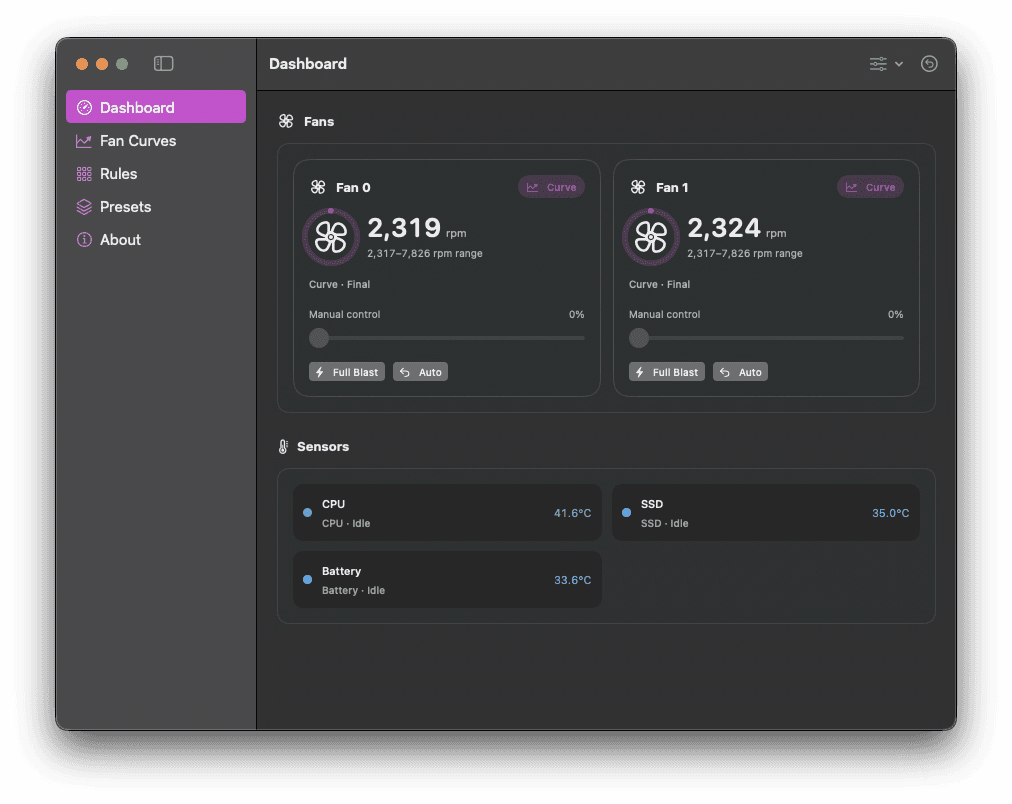
CoolCurve screenshot
Built in-house

CoolCurve

A native macOS app that gives Apple silicon Macs clear temperature monitoring and safe, precise fan control. Reads every hardware sensor and real fan RPM through the SMC, then replaces firmware-only behaviour with manual speeds, multi-point curves, and per-sensor rules.

Key features

  • Every temperature sensor and true fan RPM read via the SMC
  • Multi-point custom fan curves
  • Manual speed control and Full Blast mode
  • Swift
  • SwiftUI
  • Apple SMC
  • SMAppService
  • +2
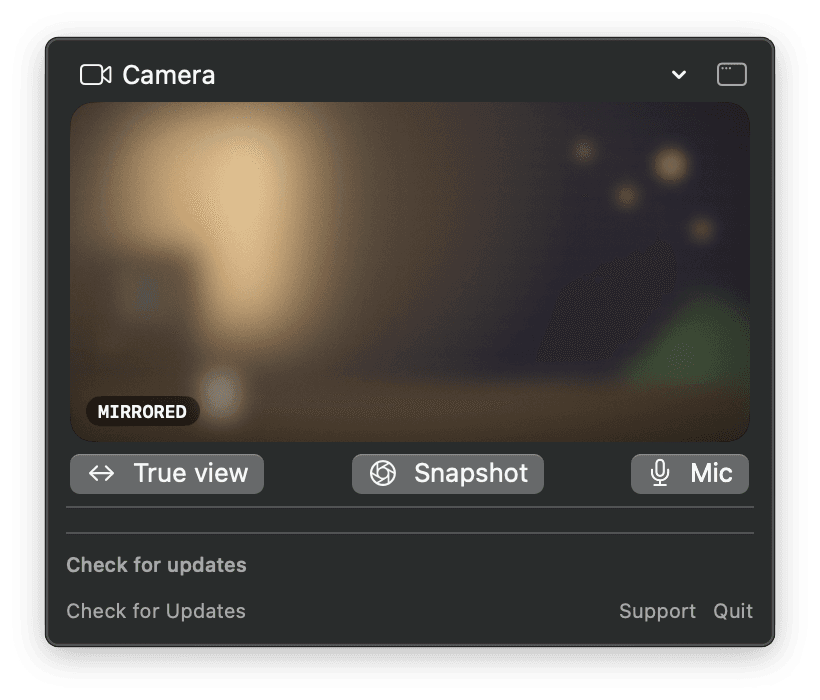
Preen screenshot
Built in-house

Preen

A fast menu-bar camera preview for macOS. Opens a live mirror of your own camera so you can check framing and appearance before or during a video call, then releases the camera the moment you are done with it.

Key features

  • Instant self-view preview from the menu bar
  • Releases the camera as soon as the preview closes
  • Shows which camera is currently active
  • Swift
  • SwiftUI
  • AVFoundation
  • Sparkle
  • +1
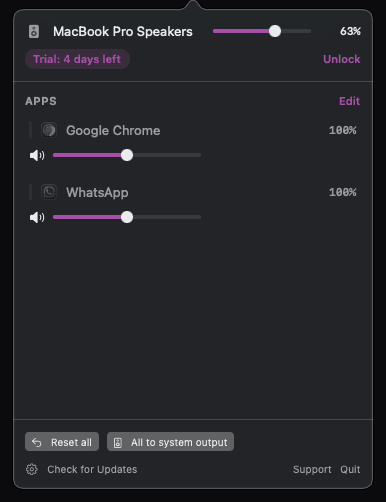
Submix screenshot
Built in-house

Submix

Independent volume, mute, routing, and sound controls for every Mac app. Submix adds the per-application audio mixer macOS has never shipped, so a loud browser tab no longer forces you to turn the whole system down.

Key features

  • Per-app output volume, independent of the system slider
  • Per-app mute without touching other audio
  • Per-app output routing between devices
  • Swift
  • SwiftUI
  • Core Audio
  • Sparkle
  • +1

Case studies

Frequently asked questions

Can you build a Mac app that is sold outside the App Store?

Yes. Our own apps, CoolCurve, Preen and Submix, are distributed from taperlark.com with Developer ID signing, notarization, Hardened Runtime and Sparkle updates.

Do you build for Apple silicon?

Yes. CoolCurve, for example, reads temperature sensors and controls fans on Apple silicon Macs through the SMC and a signed privileged helper.

Do you write native Swift or use a cross-platform framework?

Native Swift and SwiftUI. System features like Core Audio, AVFoundation and SMAppService are only fully available to native code.

Start with a short description of the job

Tell us what you want to build and which tools you use today. We reply by email. You can also write to support@codex-labs.dev.